CupertinoNavigationBar
An iOS-styled bottom navigation tab bar.
Navigation bars offer a persistent and convenient way to switch between primary destinations in an app.
Inherits: LayoutControl
Properties
-
active_color(ColorValue | None) –The foreground color of the icon and title of the selected
destination. -
bgcolor(ColorValue | None) –The color of the navigation bar itself.
-
border(Border | None) –Defines the border of this navigation bar.
-
destinations(list[NavigationBarDestination]) –The destinations of this navigation bar.
-
icon_size(Number) –The size of all destination icons.
-
inactive_color(ColorValue) –The foreground color of the icon and title of the unselected
destinations. -
selected_index(int) –The index into
destinationsfor the currently selectedNavigationBarDestination.
Events
-
on_change(ControlEventHandler[CupertinoNavigationBar] | None) –Called when selected destination changed.
Examples#
Basic Example#
import flet as ft


def main(page: ft.Page):
    page.title = "CupertinoNavigationBar Example"

    page.navigation_bar = ft.CupertinoNavigationBar(
        bgcolor=ft.Colors.AMBER_100,
        inactive_color=ft.Colors.GREY,
        active_color=ft.Colors.BLACK,
        on_change=lambda e: print("Selected tab:", e.control.selected_index),
        destinations=[
            ft.NavigationBarDestination(
                icon=ft.Icons.EXPLORE_OUTLINED,
                selected_icon=ft.Icons.EXPLORE,
                label="Explore",
            ),
            ft.NavigationBarDestination(
                icon=ft.Icons.COMMUTE_OUTLINED,
                selected_icon=ft.Icons.COMMUTE,
                label="Commute",
            ),
            ft.NavigationBarDestination(
                icon=ft.Icons.BOOKMARK_BORDER,
                selected_icon=ft.Icons.BOOKMARK,
                label="Favorites",
            ),
        ],
    )

    page.add(
        ft.SafeArea(
            content=ft.Text("Body!"),
        )
    )


if __name__ == "__main__":
    ft.run(main)
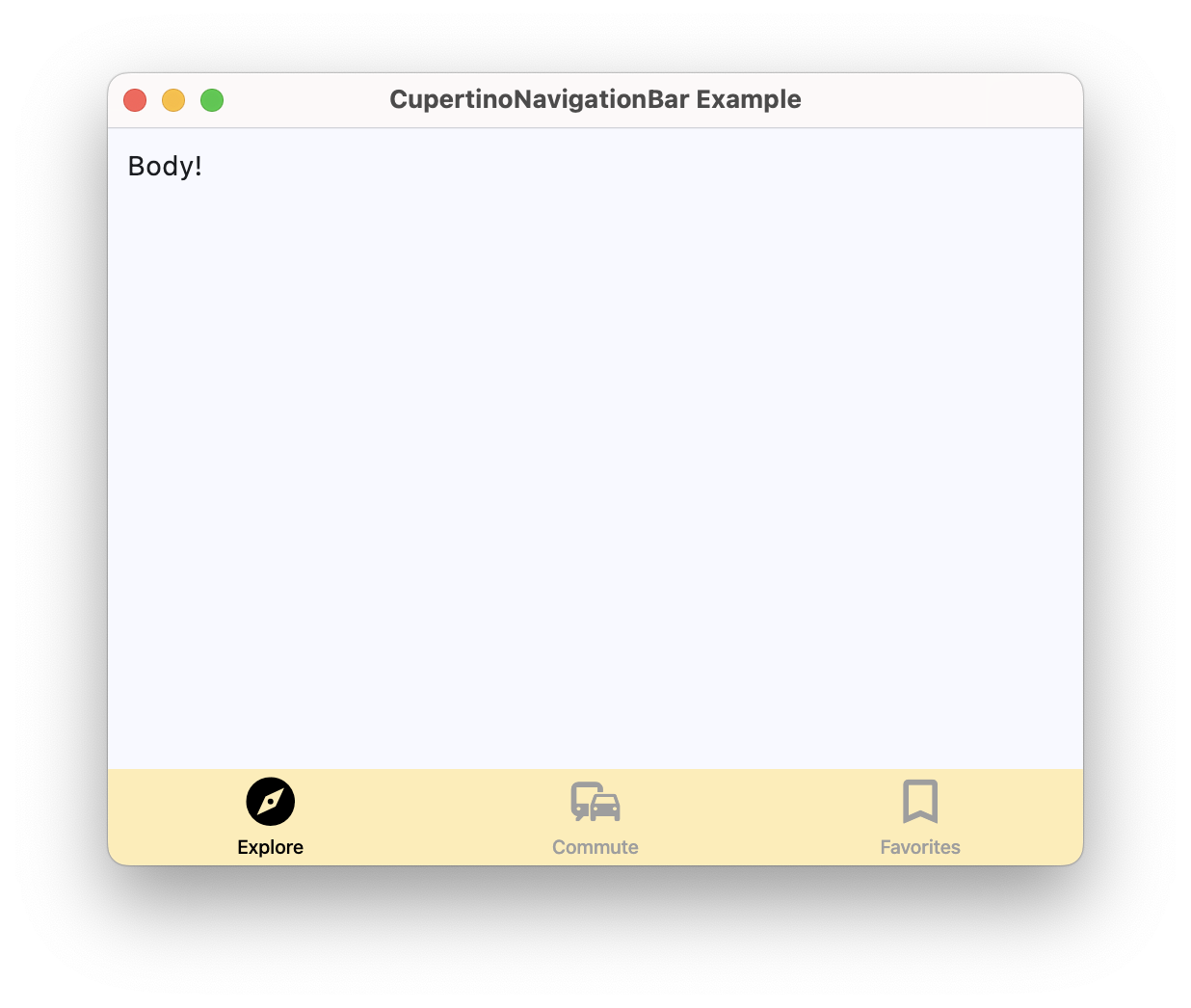
Wired navigation bar#
import flet as ft


def main(page: ft.Page):
    page.title = "CupertinoNavigationBar Example"

    body_text = ft.Text("Explore!")

    def handle_nav_destination_change(e: ft.Event[ft.CupertinoNavigationBar]):
        if e.control.selected_index == 0:
            body_text.value = "Explore!"
        elif e.control.selected_index == 1:
            body_text.value = "Find Your Way!"
        else:
            body_text.value = "Your Favorites!"

    page.navigation_bar = ft.CupertinoNavigationBar(
        bgcolor=ft.Colors.AMBER_100,
        inactive_color=ft.Colors.GREY,
        active_color=ft.Colors.BLACK,
        on_change=handle_nav_destination_change,
        destinations=[
            ft.NavigationBarDestination(
                icon=ft.Icons.EXPLORE_OUTLINED,
                selected_icon=ft.Icons.EXPLORE,
                label="Explore",
            ),
            ft.NavigationBarDestination(
                icon=ft.Icons.COMMUTE_OUTLINED,
                selected_icon=ft.Icons.COMMUTE,
                label="Commute",
            ),
            ft.NavigationBarDestination(
                icon=ft.Icons.BOOKMARK_BORDER,
                selected_icon=ft.Icons.BOOKMARK,
                label="Favorites",
            ),
        ],
    )

    page.add(
        ft.SafeArea(
            content=body_text,
        )
    )


if __name__ == "__main__":
    ft.run(main)
Properties#
class-attribute
instance-attribute
#
active_color: ColorValue | None = None
The foreground color of the icon and title of the selected destination.
class-attribute
instance-attribute
#
bgcolor: ColorValue | None = None
The color of the navigation bar itself.
class-attribute
instance-attribute
#
border: Border | None = None
Defines the border of this navigation bar.
instance-attribute
#
destinations: list[NavigationBarDestination]
The destinations of this navigation bar.
Raises:
-
ValueError–If it does not contain at least two visible
NavigationBarDestinations.
class-attribute
instance-attribute
#
icon_size: Number = 30
The size of all destination icons.
class-attribute
instance-attribute
#
inactive_color: ColorValue = INACTIVE_GRAY
The foreground color of the icon and title of the unselected destinations.
class-attribute
instance-attribute
#
selected_index: int = 0
The index into destinations for the currently selected NavigationBarDestination.
Raises:
-
IndexError–If it is not greater than or equal to
0. -
IndexError–If it is not less than the length of visible
destinations.
Events#
class-attribute
instance-attribute
#
on_change: (
    ControlEventHandler[CupertinoNavigationBar] | None
) = None
Called when selected destination changed.